 As the 116th Congress comes to an end, the annual defense authorizing legislation (NDAA) is among its most important pending matters — and tucked within it is the most important internet issue that you’ve probably never heard of. While not as visible as COVID relief or continuing government funding, the massive Fiscal Year 2021 NDAA Conference Committee report addresses many important defense and non-defense issues, including the naming of military bases after Confederate officers, limits on the President’s ability to withdraw troops from Germany and Afghanistan, a threatened presidential veto over the absence of a repeal of Section 230 and much more — to say nothing of the roughly $740 billion in military programs the law would authorize for the current fiscal year. Amid these, both the House and Senate bills and the Conference Report address an important internet issue that is not much discussed and not much understood outside of a small circle of industry, scholarly, military, intelligence, and law enforcement experts. The resolution of the issue (which won’t get the kind of attention that creating a new “National Cyber Director” will get) could have an enormous impact on the shape and future of the entire internet — far beyond the military and defense communities. Labeled “information sharing,” to put it most simply, it’s whether the U.S. Government (or any government) should regulate and control information about cyber threats that is shared by internet (and other) companies with U.S. military, law enforcement, and intelligence agencies — or whether the sharing of cyber threat information by internet companies should continue to be voluntary and led by industry. The issue is often addressed in vague terms, but at its core, it divides American industry, the tech sector, and even the internet industry itself — and its resolution will establish basic rules for how the internet is regulated by the U.S. government and most other governments. The Fiscal 2021 NDAA Conference Report partly addresses this issue and partly postpones it. That’s not surprising, given its complexity and enormous implications for the shape of the internet. Aside from the political fact that nearly everyone supports “cooperation on cybersecurity” between government agencies and internet companies, the debates over mandatory versus voluntary cooperation is further complicated by the fact that serious cyber threats to the U.S. originate not only from a foreign military attack but also from anyone from a bored high school student to a professional crime ring. Cyber threats from any of these could jeopardize large parts of our economy or social structure. So, a major underlying issue in mandatory versus voluntary “information sharing” is that the problem that’s being addressed is not just defending against a foreign military attack on the United States. It is, arguably, defending against any type of cyber threat from anyone. The details are quite complex, but the core issue has been hotly debated for over a decade and even echoes policy debates over industry regulation that go back to the 1980s. Like several other cybersecurity issues, the issue of “information sharing” was highlighted by the recent report of the Cyberspace Solarium Commission, which looked at the full scope of cyber threats to the U.S. and set forth a wide range of proposals to improve America’s cybersecurity. The Commission singled out companies that are part of the “defense industrial base” (which could include quite a large swath of the internet industry) and concluded that they and other internet companies need some form of new, mandatory information sharing for the national security of the United States. Historically, there have been many — mostly in intelligence, law enforcement, and the military — who believe that major internet companies should be legally required to rapidly share information about cyber threats with law enforcement, military, and intelligence agencies. These advocates of mandatory and regulated information sharing are supported by some defense contractors and many businesses that depend on the integrity of the internet for their business. Generally, their view is that whatever drawbacks this form of regulating the internet may have are a small price to pay for the significant increase in security and stability that mandatory and regulated information sharing would offer. For more visit OUR FORUM.  In just the last two months, the cybercriminal-controlled botnet known as TrickBot has become, by some measures, public enemy number one for the cybersecurity community. It's survived takedown attempts by Microsoft, a supergroup of security firms, and even US Cyber Command. Now it appears the hackers behind TrickBot are trying a new technique to infect the deepest recesses of infected machines, reaching beyond their operating systems and into their firmware. Security firms AdvIntel and Eclypsium today revealed that they've spotted a new component of the trojan that TrickBot hackers use to infect machines. The previously undiscovered module checks victim computers for vulnerabilities that would allow the hackers to plant a backdoor in deep-seated code known as the Unified Extensible Firmware Interface, which is responsible for loading a device's operating system when it boots up. Because the UEFI sits on a chip on the computer’s motherboard outside of its hard drive, planting malicious code there would allow TrickBot to evade most antivirus detection, software updates, or even a total wipe and reinstallation of the computer's operating system. It could alternatively be used to "brick" target computers, corrupting their firmware to the degree that the motherboard would need to be replaced. The TrickBot operators' use of that technique, which the researchers are calling "TrickBoot," makes the hacker group just one of a handful—and the first that's not state-sponsored—to have experimented in the wild with UEFI-targeted malware, says Vitali Kremez, a cybersecurity researcher for AdvIntel and the company's CEO. But TrickBoot also represents an insidious new tool in the hands of a brazen group of criminals—one that's already used its foothold inside organizations to plant ransomware and partnered with theft-focused North Korean hackers. "The group is looking for novel ways to get very advanced persistence on systems, to survive any software updates and get inside the core of the firmware," says Kremez. If they can successfully penetrate a victim machine's firmware, Kremez adds, "the possibilities are endless, from destruction to basically complete system takeover." While TrickBoot checks for a vulnerable UEFI, the researchers have not yet observed the actual code that would compromise it. Kremez believes hackers are likely downloading a firmware-hacking payload only to certain vulnerable computers once they're identified. "We think they've been handpicking high-value targets of interest," he says. The hackers behind TrickBot, generally believed to be Russia-based, have gained a reputation as some of the most dangerous cybercriminal hackers on the internet. Their botnet, which at its peak has included more than a million enslaved machines, has been used to plant ransomware like Ryuk and Conti inside the networks of countless victims, including hospitals and medical research facilities. The botnet was considered menacing enough that two distinct operations attempted to disrupt it in October: One, carried out by a group of companies including Microsoft, ESET, Symantec, and Lumen Technologies, sought to use court orders to cut TrickBot's connections to the US-based command-and-control servers. Another simultaneous operation by US Cyber Command essentially hacked the botnet, sending new configuration files to its compromised computers designed to cut them off from the TrickBot operators. It's not clear to what degree the hackers have rebuilt TrickBot, though they have added at least 30,000 victims to their collection since then by compromising new computers or buying access from other hackers, according to security firm Hold Security. AdvIntel's Kremez came upon the new firmware-focused feature of TrickBot—whose modular design allows it to download new components on the fly to victim computers—in a sample of the malware in late October, just after the two attempted takedown operations. He believes it may be part of an attempt by TrickBot's operators to gain a foothold that can survive on target machines despite their malware's growing notoriety throughout the security industry. "Because the whole world is watching, they've lost a lot of bots," says Kremez. "So their malware needs to be stealthy, and that's why we believe they focused on this module." To learn more visit OUR FORUM. 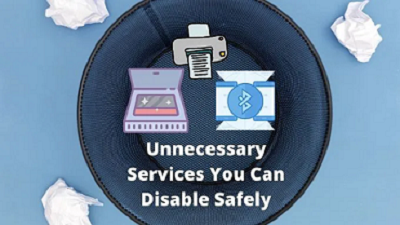 Windows 10 isn’t as sluggish and bloated as some versions that have come before. Which means you shouldn’t have any serious performance complaints. Then again, why leave free performance on the table by running unnecessary services? There’s a long list of Windows 10 services that most users don’t need. So you can safely disable these unnecessary Windows 10 services and satisfy your craving for pure speed. Some Common Sense Advice First, Windows services all have specific jobs. Some of these jobs are critical for your computer to work properly. If you disable a Windows service that’s needed for the normal operation of your computer, you can get locked out of your machine or may have to undo what you’ve done. We tested disabling all the unnecessary services listed below via the Services app on our computer. However, we can’t take any responsibility for something going wrong with your specific machine. Don’t mess around with random services not listed here and always create a system restore point or system backup before making changes. We rate a process as “safe to disable” if it doesn’t affect the core functionality of your computer, but we don’t recommend that you actually disable every single one of these services since they are not harmful and can be useful too. Do you have a printer? Do you ever use it? Printers are becoming a niche item as we all transition to paperless documentation and use smartphone cameras to scan documents. If you don’t use a printer then you can safely disable the print spooler. This is a service that manages and queues print jobs. Without any print jobs to process, it just sits there using up RAM and CPU time. Windows Image Acquisition is the service that waits until you press the button on your scanner and then manages the process of getting the image where it needs to go. This also affects communication with digital cameras and video cameras that you connect directly to your computer, so be aware of that if you need this function. Unbelievably, there are actually plenty of businesses that still use fax machines. Fax usage is very niche, however, so it’s almost certain that you don’t need fax services on your computer. If you are one of the five people sending and receiving faxes from your computer, well then this doesn’t apply to you. Also, buy a scanner instead. It’s safe to disable the Bluetooth service if you don’t need it. It can be a precaution against Bluetooth attacks too. These days Bluetooth devices such as mice, game controllers, and headphones are common. So only a small number of users who never use Bluetooth should consider this. Windows Search is safe to disable and can have a noticeable effect on your performance because it also disables the Windows search indexer. It’s not something we recommend most people do, however. Instant, fast search performance is one of the best features of Windows 10. It’s an option if you don’t make much use of Windows search or your CPU is really slow. Go ahead and disable it to see if it boosts performance. Windows sends an error report back to Microsoft when things go wrong. Microsoft uses this information to fix problems in future updates. Some people have a privacy issue with this and choose not to send reports. If you don’t want to send error reports to Microsoft, you can go beyond selecting Don’t send every time and disable the entire service. Disabling these services won’t give you drastic speed boosts. Though, you can get an extra frame or two out of your video games or open even more tabs in your browser. There are several more services you can stop. But, we strongly recommend against messing with the Windows services you are unsure about. It’s especially risky to disable services that are essential to your hardware, such as those related to your graphics card. Always research a given Windows service before you disable it. For more Windows 10 Services that can be disabled visit OUR FORUM.
|
Latest Articles
|