 IT staff are not often the fastest to install patches, lest they cause more issues than they solve, but a new vulnerability in all versions of Windows 10 and Windows Server suggests they may need to rethink that policy. The CERT Coordination Center (CERT/CC) today issued CVE-2018-8626 for a Windows DNS server heap overflow vulnerability. The remote code execution flaw in Windows DNS servers will allow unauthorized actors to run arbitrary code in the context of the Local System Account. Windows PCs and servers configured as DNS servers are at risk. As if synchronized, Microsoft also issued an advisory for CVE-2018-8611, a Windows kernel elevation of privilege bug that would let a hacker run arbitrary code in kernel mode. They could then install programs and view, change, or delete data, or create new accounts with full user rights. Fortunately, the DNS server exploit has not been released yet, but smarter hackers are often able to reverse engineer exploits from patches. The privilege elevation vulnerability is already being exploited in the wild. Read more about the exploits and find the download links for the patches at OUR FORUM. 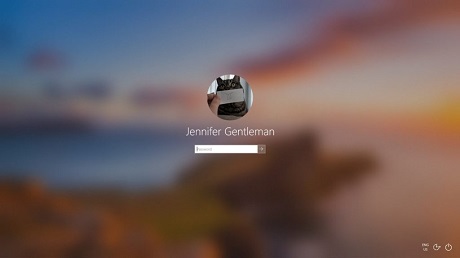 The enterprises are using two-factor authentication to keep their accounts and network secure. Recently, Microsoft also announced that the company wants to reduce the usage of the passwords and offer a more secure way to login to their services. The company today announced in a blog post that it’ll now support password-less logins on Windows 10. With this announcement, it’s quite clear that Microsoft is doing away with passwords altogether. In Windows 10 19H1 preview builds, Microsoft is adding support for setting up and signing in to Windows 10 with a Microsoft account linked to the phone number. You don’t need to put a password to sign in to Windows 10 (Home or Pro edition). To get started, you would need to set up a Microsoft account with your phone number. After linking your phone to Microsoft account, Windows 10 will allow you to use an SMS code to sign in. You can also other security features such as Windows Hello Face, Fingerprint, or a PIN to sign in to Windows 10. More can be found on OUR FORUM.  2018 was a ground-breaking year for Microsoft, with the company managing to regain the respect of the IT industry and ending the year figuratively on the top of the world. In terms of execution, Microsoft’s Surface products have done really well and have been called better than Apple’s PCs by numerous reviewers, and even their low-end Surface Go tablet was named better than the iPad Pro by many. Their mobile apps have gone from strength to strength, seeing very rapid development and maintaining good review scores, and we have seen Microsoft increasingly weaving a credible cross-platform story. Microsoft’s enterprise subscription services are increasingly being seen as the default choice for customers, and even Microsoft Teams managed to unseat Slack, while their Azure cloud products have taken share from Amazon by offering developers whatever they want in a reliable and affordable package. While their Windows 10 update efforts have seen multiple stumbles, Microsoft appears to have been chastened by this and are now a much more cautious company. With such a strong 2018, here’s what to expect from Microsoft in 2019 and we have it posted on OUR FORUM. |
Latest Articles
|