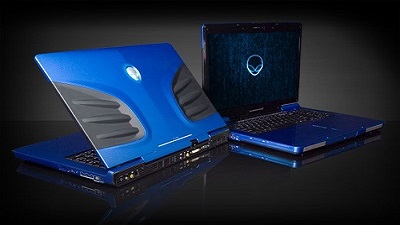
 Microsoft recently released Windows 10 April 2018 Update and it appears the newest version of the OS is hitting an issue on Alienware laptops. Microsoft recently released Windows 10 April 2018 Update and it appears the newest version of the OS is hitting an issue on Alienware laptops. A lot of users on social media networks and forums are reporting that Windows 10 April 2018 Update fails to install on Alienware laptops and Microsoft is yet to acknowledge the bug. Windows 10 April 2018 Update fails to install on some Alienware laptops, and the system throws an error message “You’ll need to remove these apps yourself, and then select Refresh. These programs need to be uninstalled because they aren’t compatible with the upgrade – Hybrid laptops with discrete GPU connected to display.” On Alienware Reddit discussion, a Product Specialist has unofficially acknowledged the bug. Umar Khan says that the users may receive an error message asking them to uninstall the Hybrid Graphics in order to upgrade to the newest version of the operating system. Umar claims that the installation issues is happening due to a graphics related bug in Windows 10 April 2018 Update which affects hybrid graphics platforms. Umar has also confirmed that Microsoft has blocked the upgrade on some Alienware computers intentionally and it will be lifted once the fix is released with a cumulative update next month. “There is no application you SHOULD uninstall. The block put in place is intentional from Microsoft due to a graphics related bug in Windows 10 version 1803 which affects hybrid graphics platforms,” he said. Umar has also shared an unofficial word around which appears to be helping several users. We have possible workarounds posted on OUR FORUM.
 Windows 10 April 2018 Update is now available and many users have already upgraded their computers. Several users on a social media platform are reporting issues with Google Chrome and claims that the browser freezes on Windows 10 April 2018 Update devices. It’s not yet clear at this point whether the bug is widespread or not. We couldn’t reproduce the issue on our Windows 10 April 2018 Update devices including the tablets. Some users also claim that the entire system freezes and CTRL + Alt + Del (Task Manager) doesn’t help either. While Microsoft is yet to acknowledge the reported bug, you can use Win + Ctrl + Shift + B to reset the graphics driver and recover the system. Windows 10 April 2018 Update could be buggy on systems with incompatible drivers, and the users are always recommended to keep all software up-to-date before installing any new version of the OS. It is also worth noting that Microsoft hasn’t forced the Windows 10 April 2018 Update on any computers yet, and the company is expected to roll out Windows 10 April 2018 Update to more users on May 8. Furthermore, all supported versions of Windows 10 will receive cumulative updates next Tuesday with bug fixes and improvements. More details posted on OUR FORUM. Windows 10 April 2018 Update is now available and many users have already upgraded their computers. Several users on a social media platform are reporting issues with Google Chrome and claims that the browser freezes on Windows 10 April 2018 Update devices. It’s not yet clear at this point whether the bug is widespread or not. We couldn’t reproduce the issue on our Windows 10 April 2018 Update devices including the tablets. Some users also claim that the entire system freezes and CTRL + Alt + Del (Task Manager) doesn’t help either. While Microsoft is yet to acknowledge the reported bug, you can use Win + Ctrl + Shift + B to reset the graphics driver and recover the system. Windows 10 April 2018 Update could be buggy on systems with incompatible drivers, and the users are always recommended to keep all software up-to-date before installing any new version of the OS. It is also worth noting that Microsoft hasn’t forced the Windows 10 April 2018 Update on any computers yet, and the company is expected to roll out Windows 10 April 2018 Update to more users on May 8. Furthermore, all supported versions of Windows 10 will receive cumulative updates next Tuesday with bug fixes and improvements. More details posted on OUR FORUM.
 Microsoft has already begun rolling out Windows 10 April 2018 Update to the general public and it can be downloaded by manually checking for updates. Many people rushed to install the newest version of the operating system on day one and it appears that Windows 10 April 2018 Update download is stuck at a certain percentage. To install Windows 10 April 2018 Update, the only thing users have to do is manually check for updates. On May 8, the upgrade is expected to complete automatically, though it depends on users’ preference. It seems that that installation process of Windows 10 April 2018 Update isn’t as smooth as expected in the case of some users. Several reports indicate that the download is stuck at a certain percentage. Even if you leave it for an hour or two, it may still show a constant figure such as 33% or 0% in some cases. We have the necessary steps to correct this issue posted on OUR FORUM. Microsoft has already begun rolling out Windows 10 April 2018 Update to the general public and it can be downloaded by manually checking for updates. Many people rushed to install the newest version of the operating system on day one and it appears that Windows 10 April 2018 Update download is stuck at a certain percentage. To install Windows 10 April 2018 Update, the only thing users have to do is manually check for updates. On May 8, the upgrade is expected to complete automatically, though it depends on users’ preference. It seems that that installation process of Windows 10 April 2018 Update isn’t as smooth as expected in the case of some users. Several reports indicate that the download is stuck at a certain percentage. Even if you leave it for an hour or two, it may still show a constant figure such as 33% or 0% in some cases. We have the necessary steps to correct this issue posted on OUR FORUM.
|
|
|