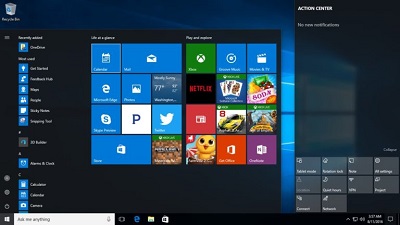
 Microsoft has today released the first cumulative update for Windows 10 April 2018 Update (version 1803). The direct download links for Windows 10 KB4103721 are also available, which means you can upgrade your computer manually. Needless to say, you can also download the cumulative update via the Settings app. Windows 10 KB4103721 (Build 17134.48) is the first cumulative update for the newest version of the operating system. Microsoft has fixed a lot of bugs and glitches with today’s update. If you’re one of the first users who upgraded to new version of Windows, you probably noticed some bugs and glitches. Microsoft allowed users to manually upgrade their devices to Windows 10 version 1803 (April 2018 Update) on April 2018. Get caught up on OUR FORUM.  Microsoft last month released Windows 10 April 2018 Update as a manual download and since then quite a lot of users rushed to upgrade their devices. It’s quite easy to upgrade any computer as the April 2018 Update is available on Windows Update with a manual check. Microsoft is today expected to push the new Windows 10 April 2018 Update to devices via Windows Update, but it appears that not all devices will be receiving the update. A Microsoft Moderator (Agent) in the company’s community forum acknowledged a bug hitting Intel SSDs-powered computers. The critical bug is affecting some systems with certain Intel SSDs and the computer hitting the bug fails to boot after upgrading to the April 2018 Update. The software giant is blocking the upgrade on these systems and the block will be lifted once a fix is delivered. You may need to roll back to the previous version of Windows 10 if your system fails to boot as there’s no workaround. Learn more at OUR FORUM.  In April, Google started to roll out a brand new version of Chrome that addressed autoplay videos. Chrome version 66 came with autoplay video changes that prevented Chrome from playing videos automatically if the sound was on by default. Google has been rolling out the changes in personalized ways. The reason is that Chrome can learn user preferences by which websites should or shouldn’t be blocked. All this would prevent audio from blasting from users’ speakers when they least expect it. The changes involve the fact that after you clicked and played videos on a website in the past, Chrome will remember the preferences in the future. Now, Google announced a brand new policy on its desktop for blocking unwanted autoplay videos. Chrome will initially allow the autoplay feature for more than 1,000 websites where the highest percentage of visitors usually pay media with sound. Based on the users’ browsing preferences and habits, Chrome will steadily learn and enable autoplay only on websites where users play media with sound during most of their visits and it will disable it on websites where they don’t. Full details are posted on OUR FORUM. |
Latest Articles
|