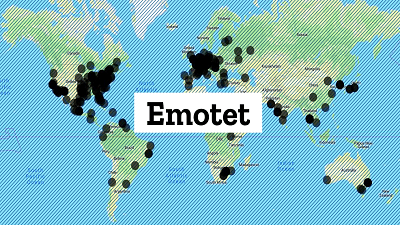
 Emotet diversifies arsenal with new lures to trick users into infecting themselves. In today's cyber-security landscape, the Emotet botnet is one of the largest sources of malspam — a term used to describe emails that deliver malware-laced file attachments. These malspam campaigns are absolutely crucial to Emotet operators. They are the base that props up the botnet, feeding new victims to the Emotet machine — a Malware-as-a-Service (MaaS) cybercrime operation that's rented to other criminal groups. To prevent security firms from catching up and marking their emails as "malicious" or "spam," the Emotet group regularly changes how these emails are delivered and how the file attachments look. Emotet operators change email subject lines, the text in the email body, the file attachment type, but also the content of the file attachment, which is as important as the rest of the email. That's because users who receive Emotet malspam, besides reading the email and opening the file, they still need to allow the file to execute automated scripts called "macros." Office macros only execute after the user has pressed the "Enable Editing" button that's shown inside an Office file. Tricking users to enable editing is just as important to malware operators as the design of their email templates, their malware, or the botnet's backend infrastructure. Across the years, Emotet has developed a collection of boobytrapped Office documents that use a wide variety of "lures" to convince users to click the "Enable Editing" button. But this week, Emotet arrived from a recent vacation with a new document lure. File attachments sent in recent Emotet campaigns show a message claiming to be from the Windows Update service, telling users that the Office app needs to be updated. Naturally, this must be done by clicking the Enable Editing button (don't press it). According to an update from the Cryptolaemus group, since yesterday, these Emotet lures have been spammed in massive numbers to users located all over the world. Per this report, on some infected hosts, Emotet installed the TrickBot trojan, confirming a ZDNet report from earlier this week that the TrickBot botnet survived a recent takedown attempt from Microsoft and its partners. These boobytrapped documents are being sent from emails with spoofed identities, appearing to come from acquaintances and business partners. Furthermore, Emotet often uses a technique called conversation hijacking, through which it steals email threads from infected hosts, inserts itself in the thread with a reply spoofing one of the participants, and adding the boobytrapped Office documents as attachments. The technique is hard to pick up, especially among users who work with business emails on a daily basis, and that is why Emotet very often manages to infect corporate or government networks on a regular basis. In these cases, training and awareness is the best way to prevent Emotet attacks. Users who work with emails on a regular basis should be made aware of the danger of enabling macros inside documents, a feature that is very rarely used for legitimate purposes. Knowing how the typical Emotet lure documents look like is also a good start, as users will be able to dodge the most common Emotet tricks when one of these emails lands in their inboxes, even from a known correspondent. For more detailed information visit OUR FORUM.  A distributed denial-of-service attack (DDoS attack) sees an attacker flooding the network or servers of the victim with a wave of internet traffic so big that their infrastructure is overwhelmed by the number of requests for access, slowing down services or taking them fully offline and preventing legitimate users from accessing the service at all. While a DDoS attack is one of the least sophisticated categories of cyberattack, it also has the potential to be one of the most disruptive and most powerful by taking websites and digital services offline for significant periods of time that can range from seconds to even weeks at a time. DDoS attacks are carried out using a network of internet-connected machines – PCs, laptops, servers, Internet of Things devices – all controlled by the attacker. These could be anywhere (hence the term 'distributed') and it's unlikely the owners of the devices realize what they are being used for as they are likely to have been hijacked by hackers. Common ways in which cybercriminals take control of machines include malware attacks and gaining access by using the default user name and password the product is issued with – if the device has a password at all. Once the attackers have breached the device, it becomes part of a botnet – a group of machines under their control. Botnets can be used for all manner of malicious activities, including distributing phishing emails, malware or ransomware, or in the case of a DDoS attack, as the source of a flood of internet traffic. The size of a botnet can range from a relatively small number of zombie devices to millions of them. Either way, the botnet's controllers can turn the web traffic generated towards a target and conduct a DDoS attack. Servers, networks, and online services are designed to cope with a certain amount of internet traffic but, if they're flooded with additional traffic in a DDoS attack, they become overwhelmed. The high amounts of traffic being sent by the DDoS attack clog up or takes down the systems' capabilities, while also preventing legitimate users from accessing services (which is the 'denial of service' element). An IP stressor is a service that can be used by organizations to test the robustness of their networks and servers. The goal of this test is to find out if the existing bandwidth and network capacity are enough to handle additional traffic. An IT department using a stressor to test their own network is a perfectly legitimate application of an IP stressor. However, using an IP stressor against a network that you don't operate is illegal in many parts of the world – because the end result could be a DDoS attack. However, there are cyber-criminal groups and individuals that will actively use IP stressors as part of a DDoS attack. What's widely regarded as the first malicious DDoS attack occurred in July 1999 when the computer network at the University of Minnesota was taken down for two days. A network of 114 computers infected with Trin00 malware all directed their traffic at a computer at the university, overwhelming the network with traffic and blocking legitimate use. No effort was made to hide the IP address of the computers launching the traffic – and the owners of the attacking systems had no idea their computers were infected with malware and were causing an outage elsewhere. The world didn't have to wait long after the University of Minnesota incident to see how disruptive DDoS attacks could be. By February 2000, 15-year-old Canadian Michael Calce – online alias MafiaBoy – had managed to take over a number of university networks, roping a large number of computers into a botnet. He used this for a DDoS attack that took down some of the biggest websites at the start of the new millennium, including Yahoo! – which at the time was the biggest search engine in the world – eBay, Amazon, CNN, and more. By the mid-2000s, it was apparent that DDoS attacks could be a potent tool in the cybercriminal arsenal, but the world was about to see a new example of how disruptive DDoS attacks could be; by taking down the internet services of an entire country. In April 2007, Estonia was – and still is – one of the most digitally advanced countries in the world, with almost every government service accessible online to the country's 1.3 million citizens through an online ID system. But from 27 April, Estonia was hit with a series of DDoS attacks disrupting all online services in the country, as well as parliament, banks, ministries, newspapers, and broadcasters. People weren't able to access the services they needed on a daily basis. For complete details visit OUR FORUM.  After tearing the PlayStation 5's guts apart earlier this week, Sony confirmed nearly everything we'd like to know on Friday about how its new console, launching November 12, will interface with PS4 games via backward compatibility. We should probably start with the big news that Sony has not cleared up just yet. Today, we received our first indication that PlayStation 5 will ship with something known as "Game Boost," which its Friday news post suggests "may make [select] PS4 games run with a higher or smoother frame rate." This suggestion doesn't come with a handy footnote pointing us to a list of affected games or features, however. Sony did not immediately respond to our request for clarification, so I'm left pointing to my recent deep dive with Xbox Series X's backward compatibility suite. What I found there was compelling: Most games play nearly identically on Xbox Series X as they do on Xbox One X, since console games are typically coded with hard limits on technical aspects. But in the case of games that launched on PS4 with "unlocked" frame rates and dynamic resolutions, well, the sky might be the limit. Will PS5 let those older, uncapped games tap into the full PS5 architecture or will certain CPU and GPU aspects be limited for compatibility's sake? I found that Xbox Series X was generally quite generous to the minority of games that could tap into increased horsepower, but there's no guaranteeing Sony will treat its older games the same way, in order to prioritize compatibility over upgrades. Additionally, will current-gen PlayStation VR games see their own boosts? "PSVR" is referenced repeatedly throughout today's new document but not in the brief mention of Game Boost. Existing PlayStation VR hardware seems to be entirely compatible with PS5, with Sony confirming once again that users will need a PlayStation Camera adapter to connect to PS5—and that those adapters will be free. How exactly PSVR owners will get those adapters remains to be seen. The matter of PS5 controller compatibility is a bit more complicated than Xbox Series' pledge of total forward and backward compatibility (with the exception of Xbox One Kinect, RIP). As has previously been hinted, PS5's new DualSense controller will work with older games, but PS4's DualShock 4 gamepad will not work with PS5 games. (Yes, you can still connect a PS4 DualShock 4 to play PS4 games on PS5. Whew, that's a mouthful.) In good forward-compatibility news, if you already bought an expensive add-on controller, Sony assures you that "specialty peripherals [from the PS4 era], such as officially licensed racing wheels, arcade sticks, and flight sticks," will work with PS5 software. When playing the PS4's library of PSVR games on PS5, Sony encourages users to stick with DualShock 4 as a gamepad, suggesting that the older gamepad offers the "best experience" in PSVR. This implies, but doesn't confirm, that DualSense will not work the same way as a DualShock 4 in PSVR games like Astro Bot, which relies heavily on gamepad motion sensing via tracking elements like its "light bar." You can also use existing PlayStation Move wands in PSVR games on PS5. Certain PS4 system features have been scrapped when moving forward to PS5. The DualShock 4's "share" button now brings up the PS5's built-in "create" menu, which appears to do all the stuff that "share" did on PS4 but with a few additional button shortcuts. And PS4 social features like tournaments, "in-game live," and second-screen app functionality have all gotten the axe. Complete details are posted on OUR FORUM. |
Latest Articles
|